
In this tutorial, we will instruct you on how to add Vue.js to an existing Laravel project. These steps are applied to fresh Laravel installation with the Breeze starter kit but should work on your existing project as well.
Here are the versions of software we used for this tutorial:
- NodeJS v18.12.0
- NPM v8.19.2
- Vite v4.4.9
- Laravel v10.24.0
Vue Installation and Vite Config
Install the Vue Vite plugin.
npm install --save-dev @vitejs/plugin-vueAnd add the Vue config part to the vite.config.js file.
vite.config.js
import { defineConfig } from 'vite';import laravel from 'laravel-vite-plugin';import vue from '@vitejs/plugin-vue'; export default defineConfig({ plugins: [ laravel({ input: [ 'resources/css/app.css', 'resources/js/app.js', ], refresh: true, }), vue({ template: { transformAssetUrls: { base: null, includeAbsolute: false, }, }, }), ], resolve: { alias: { vue: 'vue/dist/vue.esm-bundler.js', }, },});Sample Component and Mounting Vue to Blade
Now, let's create the IncrementCounter.vue component for testing purposes.
resources/js/components/IncrementCounter.vue
<script setup>import { ref } from 'vue' const counter = ref(0)</script> <template> <button type="button" @click="counter++" class="p-2 text-white bg-gray-500 rounded" > Counter is: {{ counter }} </button></template>Then add the id="app" attribute to html <body> tag. We will mount Vue to the whole page instead of some section of the page. This way, we can use Vue components anywhere in our Blade files.
resources/views/layouts/app.blade.php
</head><body class="font-sans antialiased"><body id="app" class="font-sans antialiased"> <div class="min-h-screen bg-gray-100">Import vue and register the newly created component in the app.js file and mount it to the #app element.
resources/js/app.js
import { createApp } from 'vue';import IncrementCounter from './components/IncrementCounter.vue'; createApp({}) .component('IncrementCounter', IncrementCounter) .mount('#app')Include the Vue Component in the dashboard.blade.php file to test if it works.
resources/views/dashboard.blade.php
<div class="p-6 text-gray-900"> {{ __("You're logged in!") }} <increment-counter /></div>Finally, run Vite to compile everything.
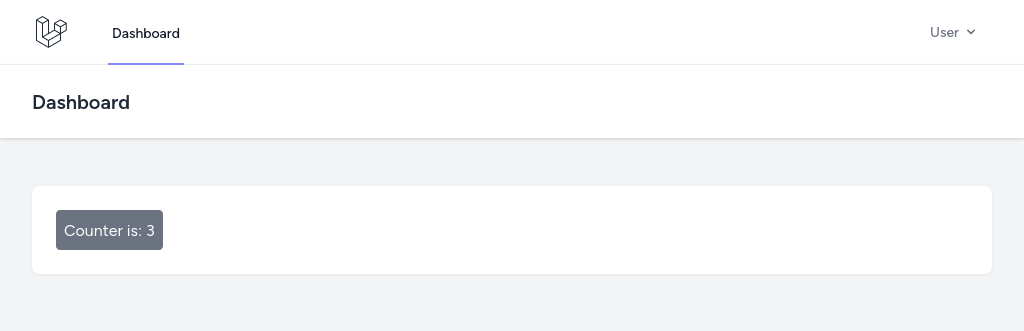
npm run devThe component should now be rendered on the Dashboard page.
Read Also: How to Migrate Mix to Vite in Laravel 10?





0 Comments